Migrating off Sage 500 ERP WE CAN HELP YOU

While Sage 500 ERP (formerly "MAS 500") may still operate for some organizations, its legacy foundation limits its scalability and adaptability to the automation, reporting and integration needs of growing companies. If you still rely on Sage 500 ERP, your organization accepts the inherent risks, including aging infrastructure, unsupported Microsoft development tools, support staff nearing retirement, and zero investment in the product and consulting experts.

While Sage has not announced an official end of life,  Sage 500 ERP has essentially been in maintenance mode since 2014, receiving basic usability enhancements, security patches, hotfixes, and Microsoft compatibility updates for newer versions of Windows OS and MS SQL Server. Integrated and marketplace solutions, however, have retired connections and compatibility with Sage 500 ERP, leaving many customers version-locked and unsupported. 

As a result, RKL eSolutions no longer sells new licenses, engages in new deployments, or accepts new Sage 500 ERP clients. While we are not taking on new clients or providing ongoing support of Sage 500 ERP, we can help you migrate to your next solution, having helped many of our own Sage 500 ERP clients do so. 

Sage Intacct Migration
Binswanger

"For years, Sage 500 worked well for us. But it was heavily customized around our specific business processes. So the time, effort, and maintenance required just to do something as simple as update to the latest version had become overly technical and cumbersome.”

Lisa Hillegass, Controller

What's Next: Migrating from Sage 500 ERP

If you are still operating your business on Sage 500 ERP, now is the time to move. Don’t delay, as you're only putting your company at risk.

It's time to plan a Sage 500 migration if:

Finance needs real-time reporting and faster consolidations
Employees rely on spreadsheets and manual workarounds to fill gaps
Customizations and infrastructure cost time and money
Manufacturing, inventory or supply chain needs have grown more complex


As a Sage Diamond Business Partner, RKL has the tools to help identify fit and gaps, migrate data, and successfully implement your next Sage solution. Our industry expertise, combined with the right Sage solution, increases your chances for a smooth transition.

Check out our three-part blog series about what's next after Sage 500 to learn our plan on providing ongoing support, trends and common concerns Sage 500 users come to us with and how we are preparing our clients for life after Sage 500.


Read about our latest updates for Sage 500:

What's Next: Migrating from Sage 500 ERP

If you are still operating your business on Sage 500 ERP, now is the time to move. Don’t delay, as you're only putting your company at risk.

It's time to plan a Sage 500 migration if:

  • Finance teams need reporting and consolidations that are faster, more reliable and easier to manage.
  • Employees rely on spreadsheets and manual workarounds to fill gaps between systems.
  • Integrations, customizations and supporting infrastructure require more time and cost to maintain than expected.
  • Manufacturing, inventory, supply chain or compliance needs have grown more complex—and your current systems may no longer keep pace.

As a Sage Diamond Business Partner, RKL has the tools to help identify fit and gaps, migrate data, and successfully implement your next Sage solution. Our industry expertise, combined with the right Sage solution, increases your chances for a smooth transition.

Check out our three-part blog series about what's next after Sage 500 to learn our plan on providing ongoing support, trends and common concerns Sage 500 users come to us with and how we are preparing our clients for life after Sage 500.


Read about our latest updates for Sage 500:

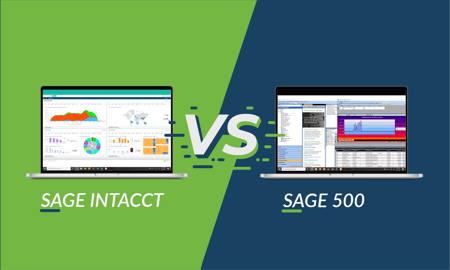
Sage Intacct vs. Sage 500: What's the Difference?

Sage Intacct vs 500

As one of the biggest Sage 500 support providers in North America, we have a lot of customers who have been asking us the same questions, with the main one being, "What is Sage Intacct?"

And we tell them Sage Intacct is often evaluated by those who need:

  • Multi-entity financial visibility and consolidations
  • Faster reporting, dashboards, and automated workflows
  • Cloud-based system allowing for anywhere, anytime access
  • More flexible integrations with payroll, CRM, billing, planning, and other business systems


Our Sage Intacct Migration Center will help you find answers to your other questions and provide the resources you need to decide whether making the move from Sage 500 to Sage Intacct is right for your business.


» Discover the Sage Intacct Migration Center

Sage X3 vs. Sage 500: What's the Difference?

customers-migrate-2

At RKL eSolutions, we’ve spent years developing and perfecting a unique and proprietary approach to Sage migration that ensures a smooth transition from your older technology to a new and modern ERP system. As a Sage Diamond Partner, we’re uniquely qualified to help you with a migration from Sage 500 to Sage X3 if you decide that it’s the right move for your business.

Sage X3 is often evaluated by organizations that need:

  • Advanced manufacturing, planning, inventory, and supply-chain capabilities
  • Better visibility across warehouses, plants, sites, and entities
  • Support for complex operational workflows, traceability, and quality processes

 
Our
Sage X3 Migration Center will help you find answers to your other questions and provide the resources you need to decide whether making the move from Sage 500 to Sage X3 is right for your business. 


» Discover the Sage X3 Migration Center

Have Questions About Migrating off Sage 500? Contact Us!

Frequently Asked Questions about Migrating and Moving off Sage 500 ERP

Is Sage 500 ERP being discontinued or reaching its end of life?

Sage 500 has been in maintenance mode for several years, with development largely focused on compatibility and security updates, along with fixes, rather than on major new capabilities. Organizations relying on Sage 500 should evaluate whether the system can continue to support their reporting, integration, security, scalability, and operational requirements without external support resources. RKL eSolutions can assess your current Sage 500 environment and help you build a migration plan. 

Does RKL provide ongoing Sage 500 support?

RKL eSolutions is not accepting new clients for ongoing Sage 500 support, but it can help Sage 500 users build a plan to migrate to Sage Intacct or Sage X3. If your current system is becoming difficult to support, our team can help with your ERP selection process.

When should we start planning a migration from Sage 500?

Begin planning before aging technology, limited integrations, reporting challenges, or business growth create an urgent deadline. Many organizations should allow time for system evaluation, data preparation, process design, implementation, testing, and employee training. Starting early gives your team more control over timing, budget, and business disruption. 

What are the best replacement options for Sage 500?

 For many Sage 500 users, the leading Sage replacement options are Sage Intacct and Sage X3. Sage Intacct is often a strong fit for organizations prioritizing cloud financial management, reporting, automation, and multi-entity accounting. Sage X3 is often better suited to organizations with complex manufacturing, distribution, inventory, supply-chain, or operational requirements. The right choice depends on your processes, industry, growth plans, integrations, and reporting needs. 

Who is a good fit for migrating from Sage 500 to Sage Intacct?

Sage Intacct may be a good fit for organizations that want modern cloud financial management, need stronger financial reporting and dashboards, manage multiple entities or locations, want to automate consolidations, approvals, and accounting processes, have limited manufacturing or complex distribution requirements, or want to reduce dependence on aging infrastructure and custom reporting.

Who is a good fit for migrating from Sage 500 to Sage X3?

Sage X3 may be a good fit for organizations that have complex manufacturing or distribution operations, need advanced inventory, purchasing, production, or supply-chain capabilities, operate multiple companies, sites, warehouses, or countries, require lot, serial, formula, quality, or traceability functionality, need one platform to connect finance with operational processes, or expect continued operational growth or increasing complexity.

How does RKL determine which Sage solution is right for us?

RKL eSolutions begins by reviewing your current Sage 500 environment, business processes, reporting requirements, customizations, integrations, pain points, and growth plans. A fit-gap assessment identifies which requirements can be supported by Sage Intacct or Sage X3, where process changes may be appropriate, and what risks or dependencies need to be addressed before implementation. See how we helped both Binswanger migrate from Sage 500 to Sage Intacct and Roush Yates Engines migrate from Sage 500 to Sage X3.

Why choose RKL for a Sage 500 migration?

RKL eSolutions brings more than 25 years of Sage 500 experience together with accounting, technology, implementation, and industry knowledge. That background helps its team understand both the technical structure of the existing system and the financial and operational processes that must be protected during migration.

RKL can help evaluate fit, plan data conversion, implement the selected Sage solution, prepare users, and support the transition.

Can our Sage 500 data be migrated to Sage Intacct or Sage X3?

Yes, relevant Sage 500 data can generally be migrated, but not every organization should move every historical transaction into the new system. We can help determine which master records, open transactions, balances, and historical details should be converted. Older information may be retained in a reporting database or archive when that approach is more practical.

Data should be cleaned, mapped, tested, reconciled, and approved before go-live.

What happens to our Sage 500 customizations and integrations?

Existing customizations and integrations must be inventoried and evaluated. Some may be replaced by standard capabilities in Sage Intacct or Sage X3, some may require configuration or a new integration, and others may no longer be necessary after processes are redesigned.

This assessment should cover third-party applications such as CRM, payroll, tax, ecommerce, EDI, warehouse management, banking, expense management, business intelligence, and industry-specific systems.