If you’re a current Sage Intacct user, you have probably noticed a new tool in your help section called Sage Copilot. This newest release from Sage is an AI-powered productivity tool built directly into the software to help you streamline routine tasks, strengthen internal controls, and gain insight from the data. From smarter search and anomaly detection to close management and AP automation, Sage Intacct’s AI capabilities are designed to enhance your team's efficiency, accuracy, and visibility.
Sage Intacct's New AI FunctionsSearch Help
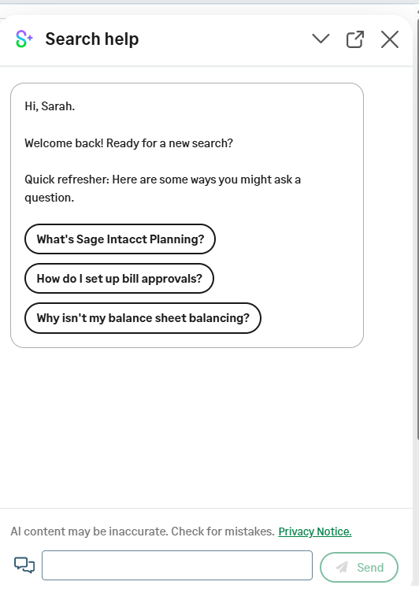
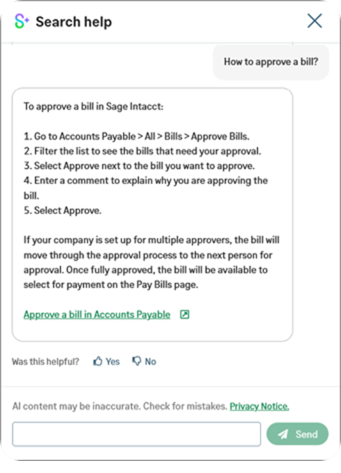
Search Help lets users make natural-language queries to quickly find relevant documentation and support. This will include suggested prompts. However, Sage Copilot offers more than just search help.
GL Outlier Detection
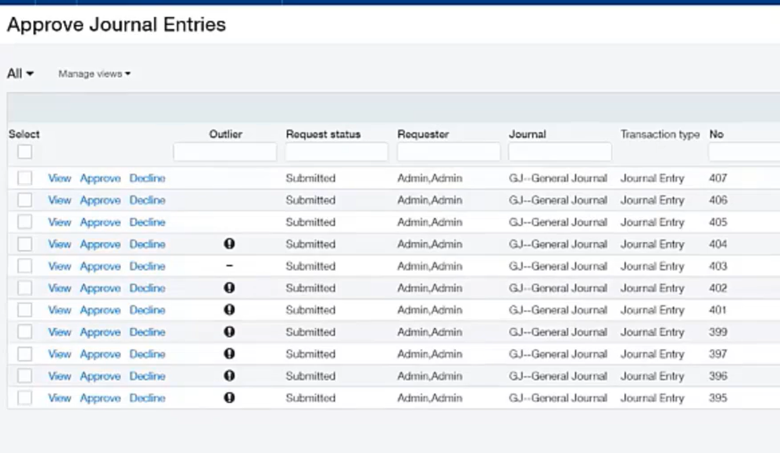
GL Outlier Detection uses your historical transactions to flag transactions that are out of the ordinary. As you interact with outlier notifications, GL Outlier Detection evolves and adjusts for future notifications.
These notifications will appear when an approver is reviewing journal entries.
Sage Close Automation
Sage Copilot Close Automation builds off this AI technology and provides analysis based on real-time data in your environment.
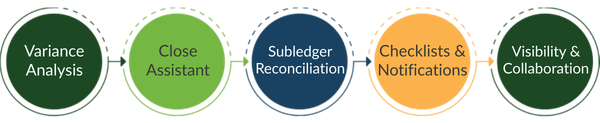
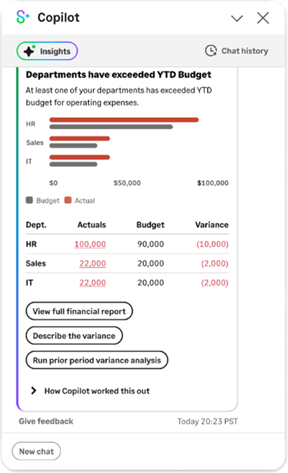
Variance Analysis
View pre-scheduled insights on a daily, weekly, or monthly basis, depending on your configuration. These insights include prior period variance analysis, budget analysis review, and AI-generated variance descriptions.
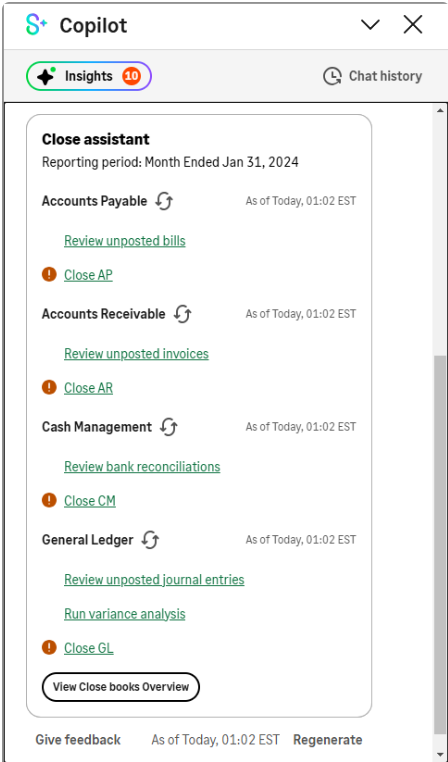
 Close Assistant
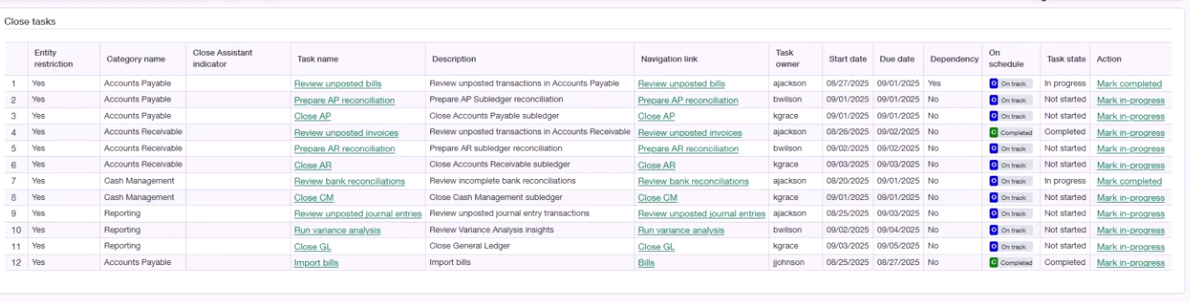
The Close Assistant provides close status across all entities and subledgers in a single centralized view. In addition, it will notify you of unposted transactions and pending approvals.
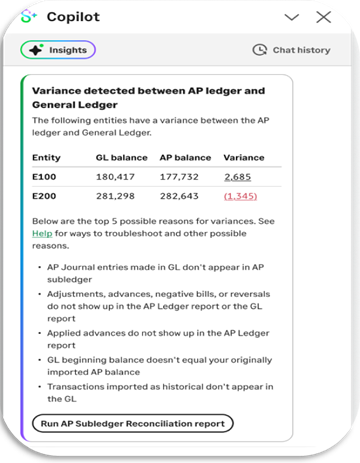
Subledger Reconciliation Assistant
In the Close Assistant panel, users will be prompted to start the AP or AR reconciliation. The Close Assistant will prepare a reconciliation report between the Trial Balance and the subledger. It will then notify you of any variances and provide drill-down access to more information.
Close Workspace
The close workspace is a centralized space for managing month-end close activities and assignments. Notifications for assigned tasks can be emailed or appear in the Copilot panel. These notifications will include information about approaching deadlines, overdue tasks, and a daily summary. Sage Collaborate allows users to collaborate directly within the checklist and task records.
AP Automation
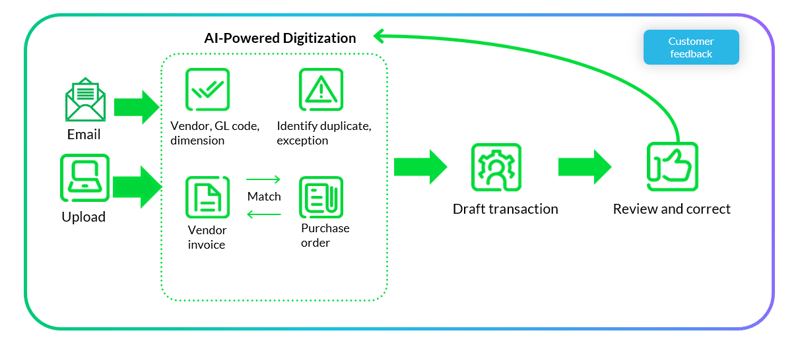
AP Automation integrates with Sage's artificial intelligence capabilities to automate your AP workflow. Vendor invoices can be emailed or uploaded to Intacct. Once inside the queue to be posted, Sage AI will identify the vendor, extract contact details, populate coding dimensions, detect duplicates, and post draft transactions. The machine learning capabilities will adapt to the corrections you make each time you review a draft. In addition, the AP Automation workflow can be configured to match vendor invoices to purchase orders.
Sage Intelligent Time
Sage Intelligent Time uses artificial intelligence to automate timesheet data collection and manage the approval process. With this technology, users can connect multiple time sources. It is compatible with most web-based calendars, email, browsers, and desktop applications like Outlook, Chrome, and Slack. The Sage Intelligent Time Assistant is a desktop application that uses the collected information to create activity cards you can add to timesheets. Users can also manage expense reports, enter time, or approve timesheets directly through an app on their mobile device.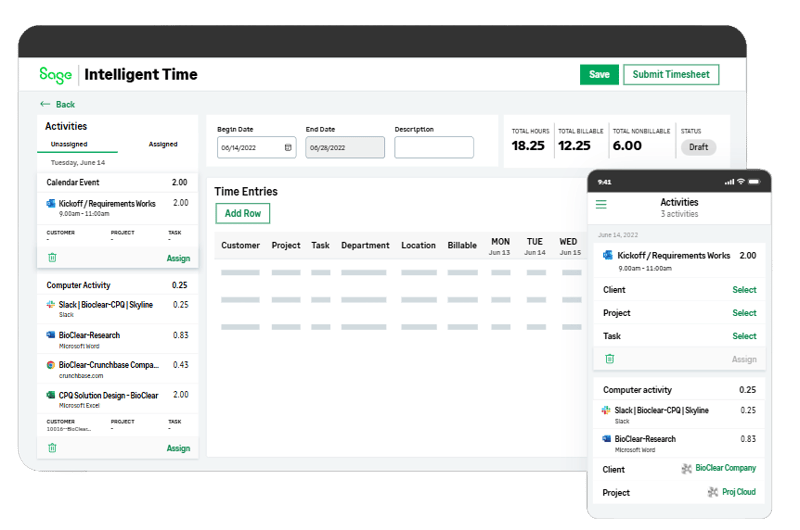
Looking for More on Sage Intacct?
For more helpful tips and tricks about Sage Intacct, subscribe to our blog and stay up-to-date with our latest tutorials. We're dedicated to providing valuable resources for businesses looking to optimize their financial management with Sage Intacct.
 Check out these blogs to help get you started!
8 Hacks Every CFO Wishes They Knew Sooner
How to Become an Early Adopter
Creating Expanded Columns and a Summary for Reports