We are all in the process of changing laptops and having to keep track of all your data files can be quite the task. Well, here is something that will simplify moving at least part of your data.
Many of us use VPN connections to remote connect to our customers and so instead of having to rekey in all the saved information, you can copy the VPN saved settings to the new laptop.
How to Copy Settings to a New Laptop
- Make sure you have the setting to unhide hidden files names within Windows File Explorer.
Go to View>Show>Hidden Items.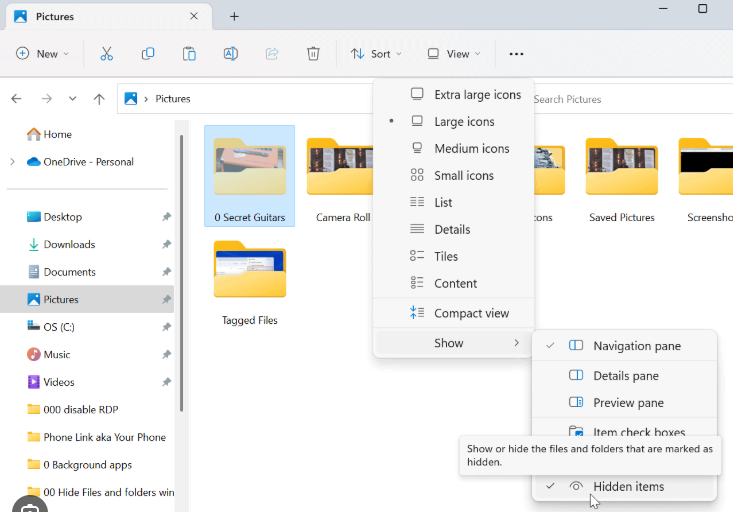
- Browse to C:\users\username\AppData\Roaming\Microsoft\Network\Connections\Pbk
- Copy the rasphone.pbk from the old laptop and move to the following folder on the new one.
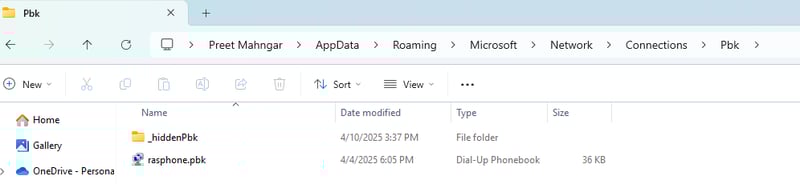
Your VPN settings should now show on the new laptop.
.png?width=800&height=544&name=image%20(7).png)
Contact RKL eSolutions for support if you have any questions.