Creating a linked server for Sage Alerts and Sage 100 ProvideX (Standard and Advanced) enables a 64-bit data connection, allowing Crystal Reports to be designed and run in a 64-bit runtime environment. This approach is especially valuable for organizations using Sage 100 in a 64-bit-only environment, where Sage Alerts and Workflow do not natively support 64-bit. By bridging that compatibility gap, users can continue leveraging reporting and alerting processes without being limited by 32-bit connection requirements.
Caveats:
If you already have an ACCESS data source and are converting queries you may encounter syntax errors.
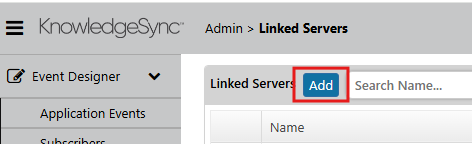
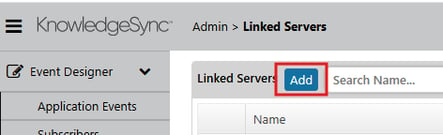
Steps to connect Sage 100 and Sage Alerts and Workflows in a 64-bit environment:
-
Create Sage 100 64 bit ODBC connection
-
Follow Sota DSN for guidance on directory paths and settings.

-
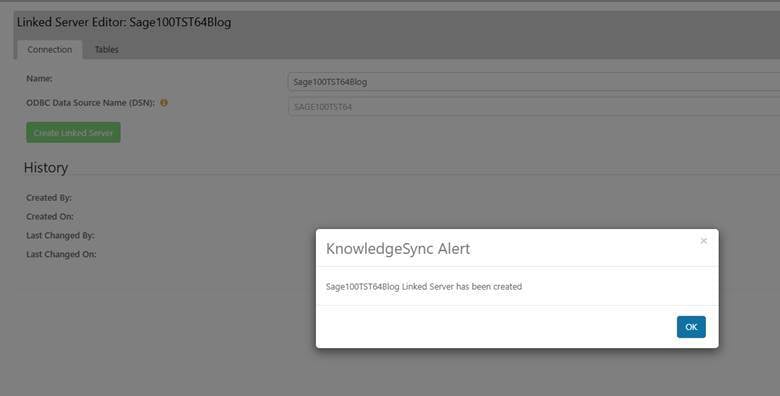
Even though the 64 bit connection won't show up in the list, type in the recently created connection.
-
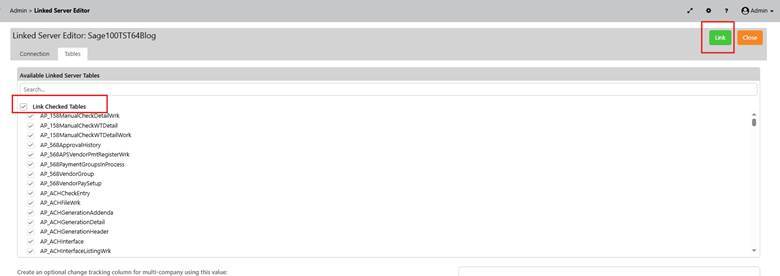
Then click the Tables tab and you should see the tables to link.
-
Select the first box and hit link in the upper right hand corner.
-
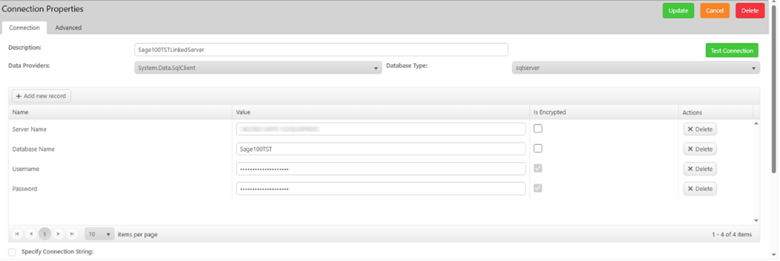
After this, you can go to your Application and create a connection to the recently created linked server.
-
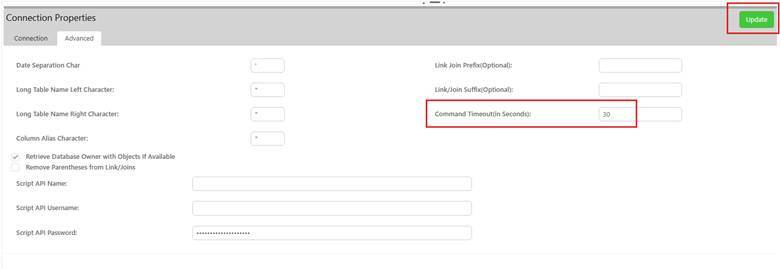
If you are creating a brand-new connection and starting queries from scratch, you are done. If you are changing a data source from Access to this new linked server, you'll want to click the Advanced tab
-
And then trigger an update to this connection by changing the timeout from 30 to 29 and hitting update. This will cause the existing queries to be updated to use .dbo in front which is the proper syntax for the linked tables. You may still have issues with any calculated columns or custom SQL so just be aware of that.
Now your Crystal Report can be 64-bit, your data source can be 64-bit, and wala!
KnowledgeSync/Sage Alerts doesn't have any plans on supporting 64-bit in the future because there is this workaround.
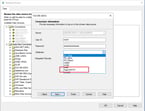
When you create a Crystal Report select OLE DB Provider
Looking for More on Sage 100?
For more helpful tips and tricks about Sage 100, subscribe to our blog and stay up-to-date with our latest tutorials. We're dedicated to providing valuable resources for businesses looking to optimize their financial management with Sage Intacct.
 Check out these blogs to help get you started!
What's New in Sage 100 Version 2026
Sage 100 Tips & Tricks: Troubleshooting Adobe Acrobat and Sage Paperless Office
How to Distribute Reports Using Sage Intelligence for Sage 100 Users