

%20copy.webp?width=824&height=432&name=Sage%20Intacct%20(36)%20copy.webp)
Sage Intacct R3 delivers a variety of new features and enhancements, and the RKL consulting team is excited to highlight what’s included. The 2026 R3 release features new tools, AI-driven automation, and several Early Adopter options available by request. More information on these updates is outlined below.
AI-Powered Automation
Identify high-risk transactions using AI-driven anomaly detection for AP Automation: Sage Intacct reviews vendor billing trends and invoice submission data to identify unusual payment amounts and unfamiliar vendor email addresses. This allows AP teams to prioritize higher-risk transactions, spend less time on manual review, and improve fraud prevention controls.
AI agents in Sage Intacct: Enhance Sage Copilot with AI agents developed by certified Sage partners. Teams can find, buy, and manage these agents through a single marketplace, with access governed by Sage Intacct role-based permissions. Learn how here.
Finance Intelligence Agent: Finance Intelligence Agent is a Sage AI-powered tool that helps you understand financial data and make more informed decisions.
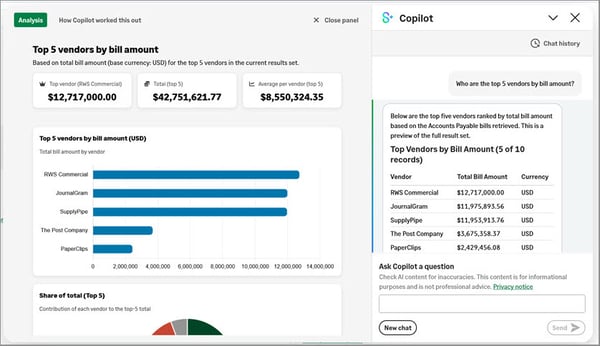
Block email addresses from automated document processing: Block suspicious or unwanted email addresses from creating transactions in Sage Intacct through AP Automation, Sage Expense Management, and E-Invoicing. Stopping these emails before documents enter Intacct helps reduce fraud and improve control over automated transaction processing. View the benefits.
Company and Administration
Updated global navigation brings Sage products and tools together: We’ve refreshed the global navigation to make it easier to move between Sage applications, access shared tools, and identify your product and company from one consistent location. See the new updates.
Email verification for user accounts: Help keep Sage Intacct user accounts and email addresses accurate and secure. Intacct now verifies new or updated email addresses and periodically prompts users to confirm their email is still current.
Validate email sender domains one time for your entire console hierarchy: Validated email sender domains now flow automatically to child consoles and companies across the console hierarchy, reducing duplicate setup and administrative effort.
More imports available in the Sage Intacct import service: Import more data into Sage Intacct with expanded import service coverage, giving you the same streamlined experience across more processes and data types.
Accounts Payable
Pay bills enhancements—Phased rollout: New companies automatically get the enhanced Pay Bills experience. Existing companies will receive it through a phased rollout and will be notified when it becomes available. View the benefits.
Post multiple bills at the same time: With enhanced lists enabled, you can now post up to 20 bills at once, saving time and reducing manual work compared with posting them individually.
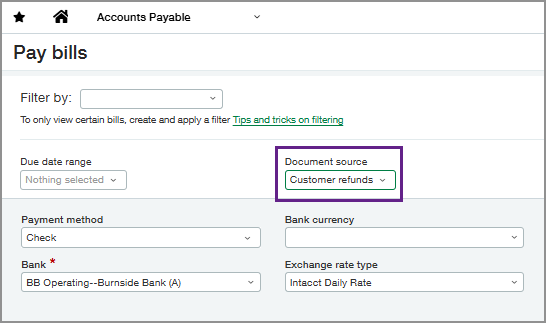
Streamline customer refund processing: Customer refund vendors and bills can now follow standard AP approval workflows, with new Pay Bills filters and visibility options to help identify and process refund payments more easily.
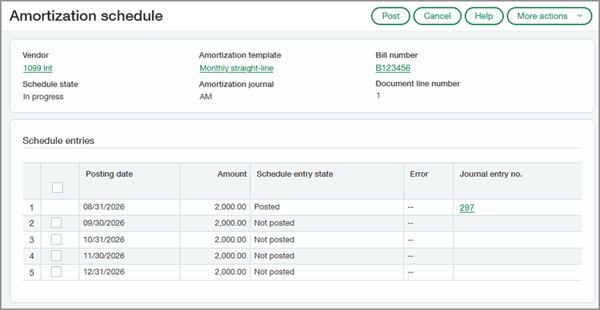
Automate prepaid expense amortization—Early Adopter: Automate prepaid expense tracking and recognition over time by applying amortization details to bills and purchasing transactions. Sage Intacct then automatically creates a straight-line amortization schedule.
Accounts Receivable
Post multiple invoices and adjustments at once: Enable enhanced lists to post invoices in bulk, saving time and reducing manual work. Previously, invoices had to be posted individually.
Enhancements to embedded Customer Payment Services—Early Adopter: Offer customers a self-service way to pay directly from their invoices, helping speed up cash flow and simplify receivables through embedded payments powered by Fortis and other providers.
Customize sender and reply‑to email addresses for Accounts Receivable invoices and statements: Enhance security and consistency by blocking unauthorized or incorrect sender email addresses and supporting internal email authentication and sender identity policies.
Fixed Assets Management
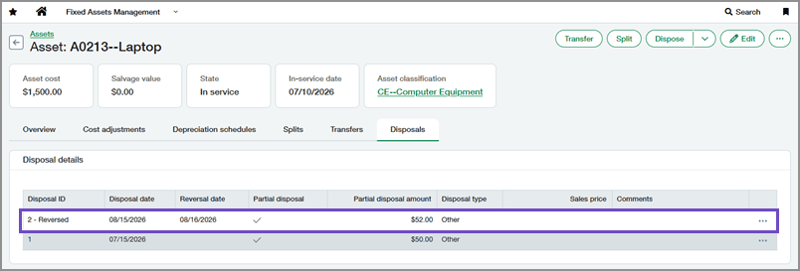
Reverse asset disposals: You can now reverse both full and partial asset disposals in Fixed Assets Management. When a disposal is reversed, the system creates offsetting journal entries and restores the asset and related depreciation data to its pre-disposal state.
Revert summarized depreciation postings: You can now summarize depreciation postings when Fixed Assets Management is set to Revert correction treatment, reducing General Ledger volume while still allowing individual depreciation entries within a summary posting to be reverted.
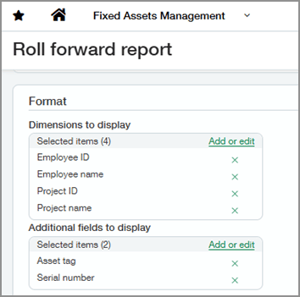
Add dimensions and additional fields to the Roll Forward report: You can now include dimensions and other asset fields in the Roll Forward report, letting you view financial amounts and asset details in one report instead of reconciling multiple reports.
inventory & supplies
Manage supplies without blocking negative inventory: You can now use Supplies Inventory without blocking negative inventory sales, giving you more flexibility to handle urgent requests while maintaining inventory integrity. See how it works.
order entry
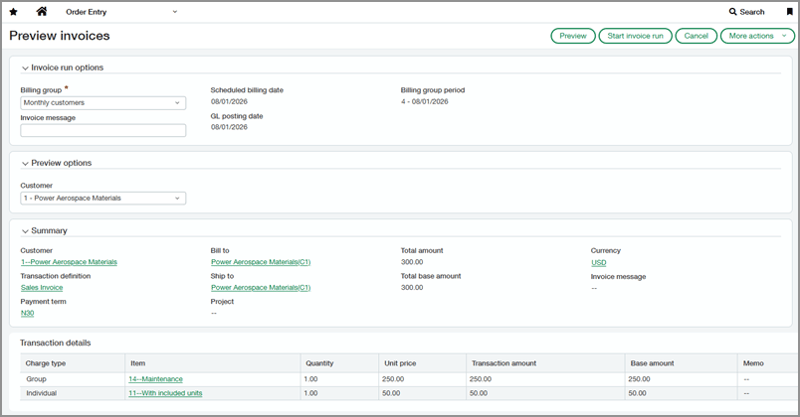
Preview invoices for billing groups: You can now review invoice details before starting a billing group invoice run, helping you confirm billing information, amounts, and charges early and catch issues before invoicing.
A new way to combine multiple documents into a single transaction: The multi-document convert feature introduced in Purchasing is now available in Order Entry. You can now combine multiple documents, or selected line items, into a single transaction to streamline conversion.
Purchasing
Updates to Custom Purchasing approvals—Early Adopter: Custom Purchasing approvals now support more header- and line-level fields, helping reduce manual review and create more precise approval rules.
Customize sender and reply‑to email addresses for Purchasing communications: Strengthen security and consistency by blocking unauthorized or incorrect sender email addresses and supporting internal email authentication and sender identity policies.
tax
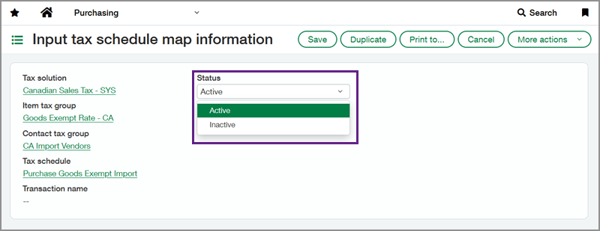
Override tax schedules in Order Entry and Purchasing: Customers using standard or custom tax solutions can now deactivate tax schedule maps and override tax schedules at the transaction line level, giving you more control over tax calculations.
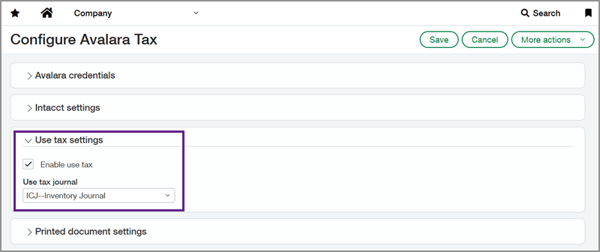
Avalara use tax in Purchasing—Early Adopter: Avalara AvaTax subscribers can now apply use tax in Purchasing transactions when sales tax was not collected or was underpaid. Use tax can be applied on its own or used to offset partial sales tax paid on out-of-state purchases.
user experience
Migrate to Sage Collaborate to get more visibility and control: Sage Collaborate is the next generation of Intacct Collaborate, enabling teams to communicate in real time directly on Sage Intacct records. With this release, eligible companies can migrate to Sage Collaborate and gain improved visibility, administration, and access management.
Customers: Register for our Sage Intacct RKL Advance Virtual Day on August 18th to see the highlights of the R3 release LIVE with Senior Solution Architect, Dane Hoover.