

The newest release of Sage Intacct Construction 2025 is here! This release has several new updates for improved efficiency and streamlined processes that we know you'll want to take advantage of. It also includes enhancements to Sage Construction Management, Sage Estimating, and Sage Field Operations. Read some of the highlights below:
Construction Module
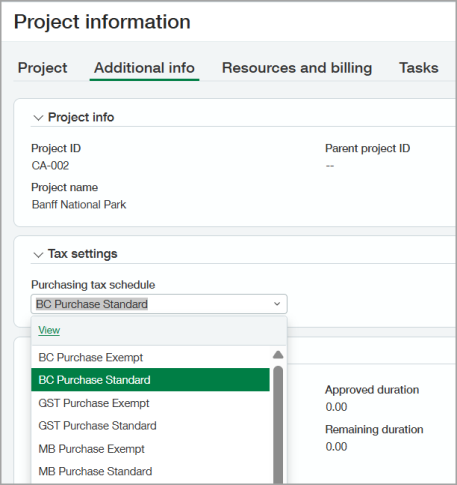
Create Default Purchasing Tax Schedules for Projects, Tasks, and Cost Types: You can now assign a default tax schedule for purchasing on a project in a project's "Additional Info" tab, on the "Task information" page, and on the "Cost type information" page. If needed, you can override that tax schedule at the task and cost type levels.
View Retainage Release Details: You can now view retainage release information from a release batch, bill, or invoice located on the "AP retainage release" page, the "Bill" details page, the "AR retainage release" page, and the "Invoice" details page.
Excess Billing on Progress-based Contract Lines: You can now set progress-based project contract lines to an unrestricted billing amount instead of using Change management or revising contract line amounts manually. Just set the "Maximum Billing" field to "No Maximum."
Work-in-Progress (WIP) Enhancements:
- On the Configure Projects page, a new "Include projects that have no job to date costs of billings" option lets you control how WIP schedules handle projects that have no job to date costs or billings.
- In WIP schedules, you can easily update CFO forecasts to show that a project is complete in terms of costs or billings.
Sage Construction Management
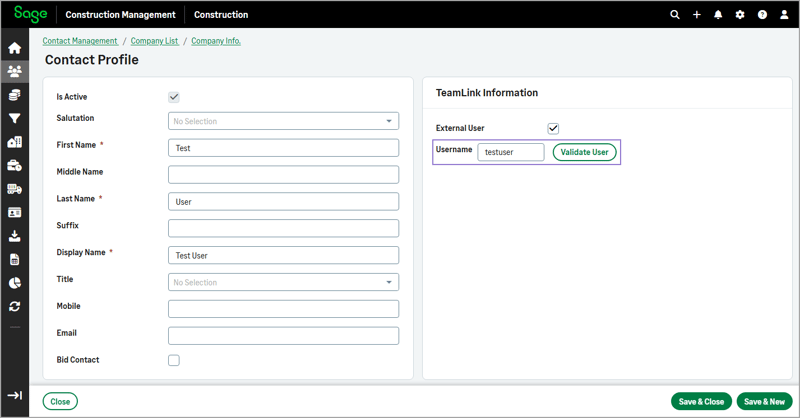
Validating TeamLink Contacts: A "Validate User" option has been added to the Contact Profile page, which allows you to validate the TeamLink Portal username before saving. This prevents duplicate records and ensures accuracy.
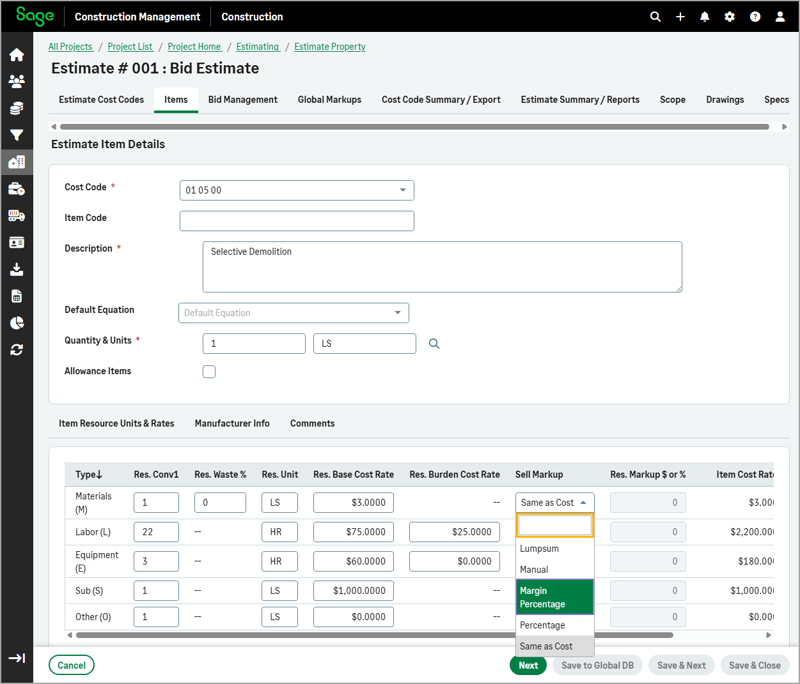
Margin Percentage Markup for Resources in Estimate and Work Items: The Margin Percentage option allows you to define a desired profit margin instead of applying a markup on cost. Sage Construction Management will automatically calculate the sell price to ensure the specified margin is achieved. You can find it on the "Sell Markup" dropdown on the Item Details page, on the "Items" tab of an estimate, and in the "Sell Markup" dropdown under the Rates Per Resource Units section when editing a work item in the cost database.
 Accounting Link for Sage Intacct:
- You can now export the posting preferences in a Word template and save a copy of your latest settings.
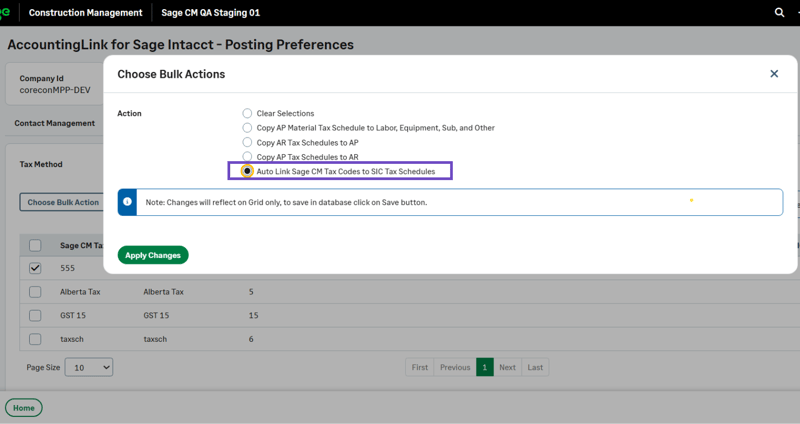
- You can now search, edit, and automatically link tax codes to tax schedules in Sage Intacct.
- The Intacct contract number source now appears in a new column when posting prime invoices, and the column "Item ID" has been renamed to "Intacct Item ID".
- A new section has been added to the Sage Intacct subcontract status page showing SIC subinvoices that are not in Sage Construction Management.
- A new section has been added to the Sage Intacct PO status page showing SIC bills that are not in Sage Construction Management.
- The retainage for Sage Construction Management and the retainage for Sage Intacct have been added in the subcontract status summary section.
Accounting Link for Sage 300 CRE: You can now export the posting preferences in a Word template and save a copy of your latest settings, ensuring that your configuration can be quickly referenced and restored in case of an accidental disconnect.
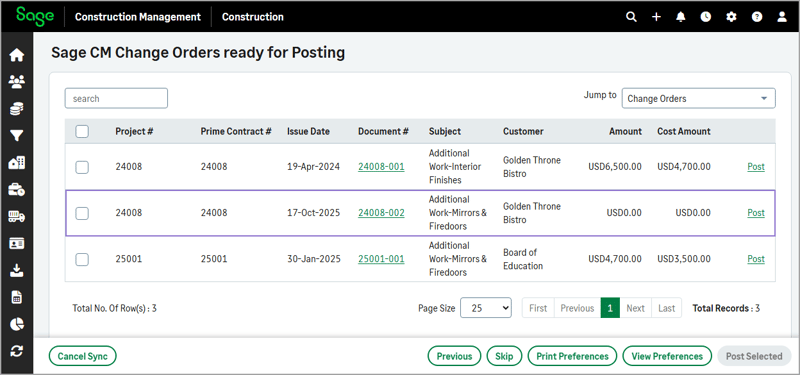
Accounting Link for Sage 100 Contractor: You can now export posting preferences in DOCX format using the Print Preferences option on the Batch Post Wizard page and post change orders (COs) with a zero-cost budget.
Sage Estimating
Exporting Estimates into Sage Construction Management: Export an estimate into Sage Construction Management as a Lead, including the description, unit, and quantity. Any item amounts not assigned to a job cost category and job cost code are not exported to Sage Construction Management.
One-Time Measurements in Takeoff: Create a measurement "on the fly" by skipping setup in the trace library. The item description is used automatically as the measurement name. After creating a measurement in Dimension, the quantity is returned to the estimate line, and the measurement appears in the Measurement Summary in Dimension.
Sage Field Operations
Two New Business Intelligence Views: A new PM Schedules view shows comprehensive data for preventative maintenance (PM) schedules, enabling advanced reporting and forecasting capabilities for maintenance operations, and a new AR Detail view shows all unpaid Invoices by customer and aging category.
For the full list of updated changes, click here.