*Available with the inventory module enabled in Sage Intacct.
Efficient inventory management is essential for businesses, and stockable and standard kits offer a practical solution for bundling multiple items into a single package. Using Sage Intacct, you can create stockable kits that are pre-assembled and ready for storage or standard kits that are put together at the time of sale. Explore how these kits can simplify your inventory process and enhance your product offerings.
Stockable Kits
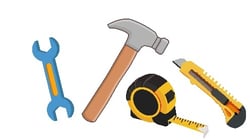
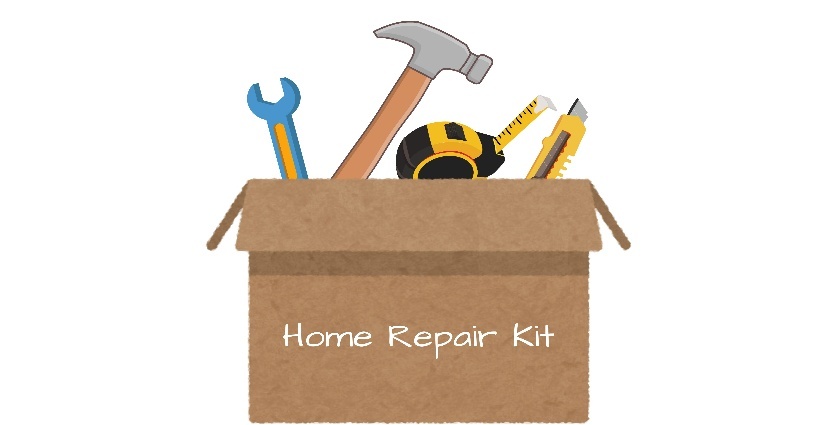
Stockable kits are a powerful feature that help simplify inventory and fulfillment by treating a group of individual items as one. For example, imagine you’re selling a home repair tool kit. It includes a hammer, wrench, tape measure, and a utility knife. You don’t want to list these as separate items on the invoice to your customer. Instead, you use Intacct to build a stockable kit. You pre-pack the full kit in a box, label it “Home Repair Kit,” and stock it on your warehouse shelf. Other examples might include gift baskets, first aid kits, or electronic bundles.
| Individual Items | Stockable Kit (One Item) |
 |
 |
Creating a stockable kit:
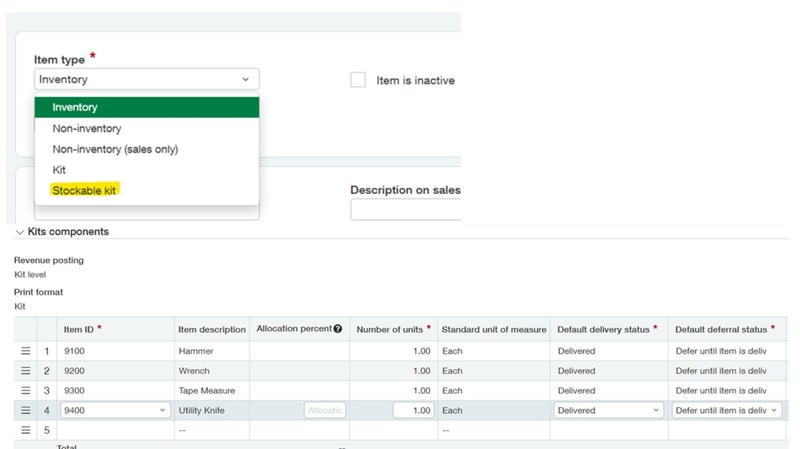
Sage Intacct uses items to create the stockable kits. In our example, the home repair kit becomes a stockable kit with the individual components assigned to it. Before a stockable kit can be sold, it needs to be built. Once a stockable kit is built, Sage Intacct adds to the kit’s on-hand quantity and subtracts from each component item’s on-hand quantity.
3 Tips to Remember about Stockable Kits:
- Stockable kits always use the FIFO cost method.
- The user will need to set the price of the stockable kit.
- A stockable kit can include non-inventory items. However, they have no cost and will not be included in COGS valuation.
Standard Kits
In contrast, a standard kit is handy for items that are frequently purchased together but do not need to be stocked as one item in inventory. They’re a virtual grouping of items that are assembled at the time of sale. This means that the kit doesn’t exist in inventory until someone buys it.
Creating a standard kit:
Since the kit doesn't exist in inventory until a customer buys it, users will need to create the kit as an item with the item type “Kit” and then add the components. Once this kit item is sold, the on-hand quantity of the individual items is reduced.
If you would like help setting up kits or are interested in learning more about the inventory module, please reach out to us at RKL eSolutions.