

Summary: If you are starting to use bank rec for the first time or want to remove lingering transactions that don’t need to be there, you can clear bank transactions.
- Go to the BANK RECONCILIATION module
- RECONCILE BANK
- Choose your BANK CODE
Click Clear to toggle the entry at the Clear column from N to Y for transactions/entries for both the Checks tab and the Dep/Adjust tab.
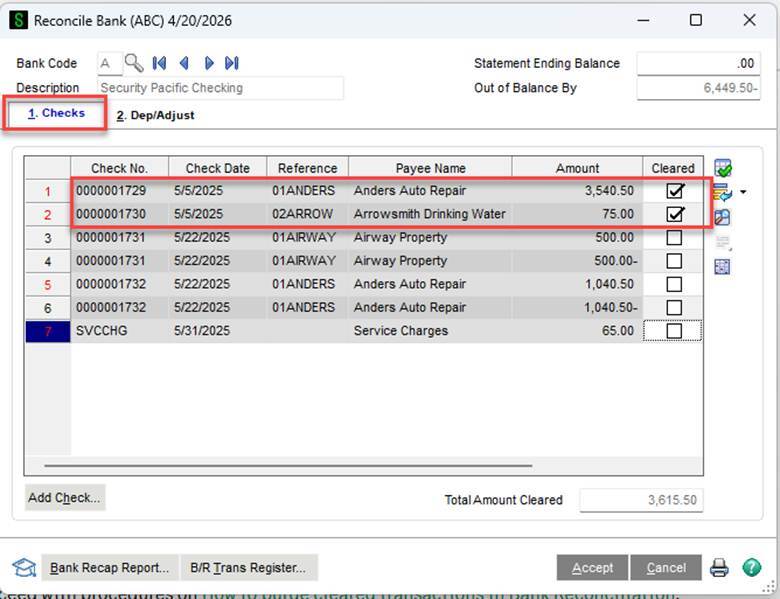
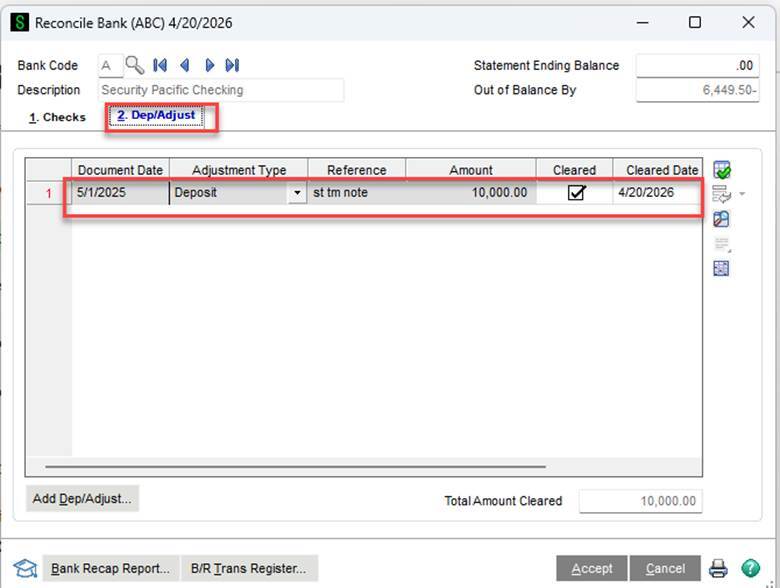
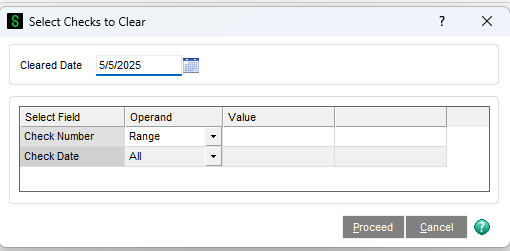
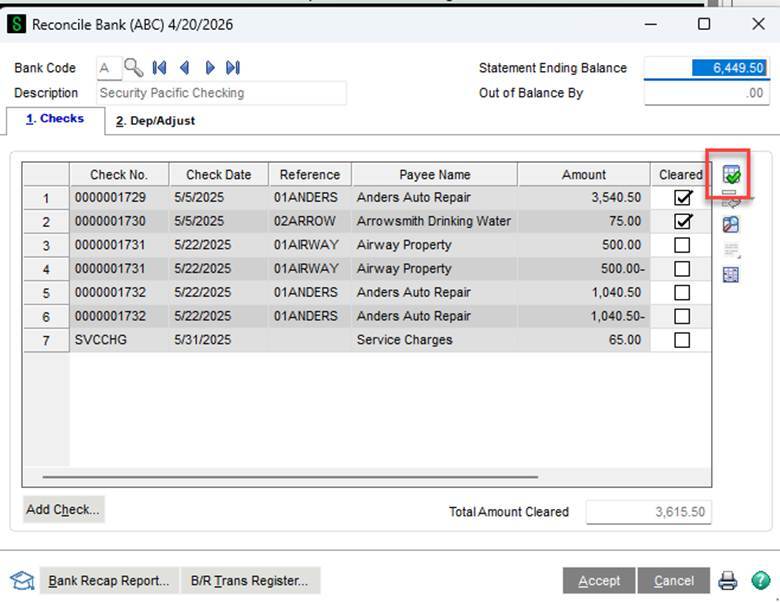
If there are a lot of transactions to clear, you can use the select checks to clear icon.
Then you can choose your criteria.
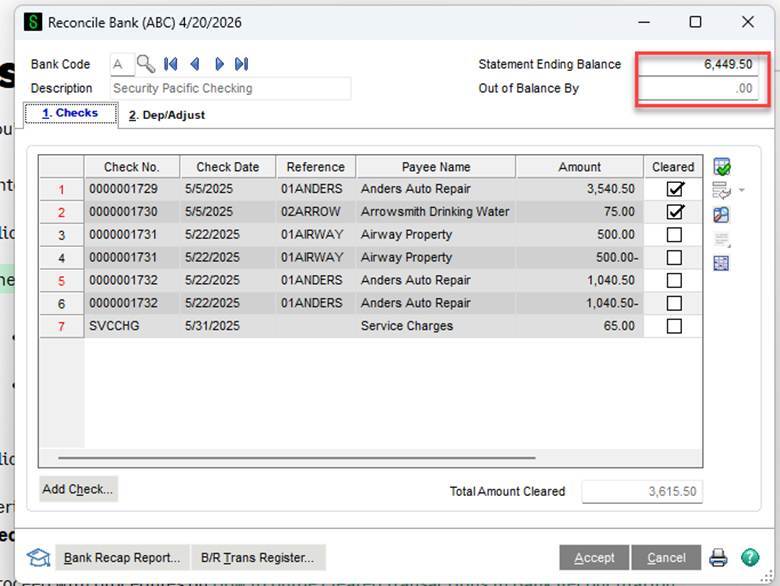
The amount in the Out of Balance By field reflects the clearing of this transaction amount.
- For deposits, the 'Out of Balance By' amount will decrease.
- For checks, the 'Out of Balance By' amount will increase.
Removing these transactions/entries will not affect any other modules; only the bank rec module will be affected.
Satisfy the following criteria to gain the option to purge the cleared transactions.
- Out of Balance shown in the Reconcile Bank window is $0.00.
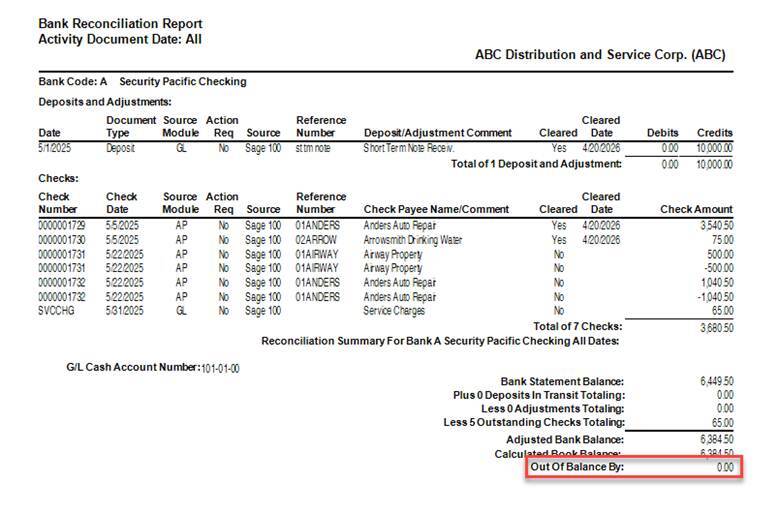
- The Bank Reconciliation Register/Report shows an Out of Balance amount of $0.00.
- Follow the steps below to verify that the Out of Balance is indeed $0.00.
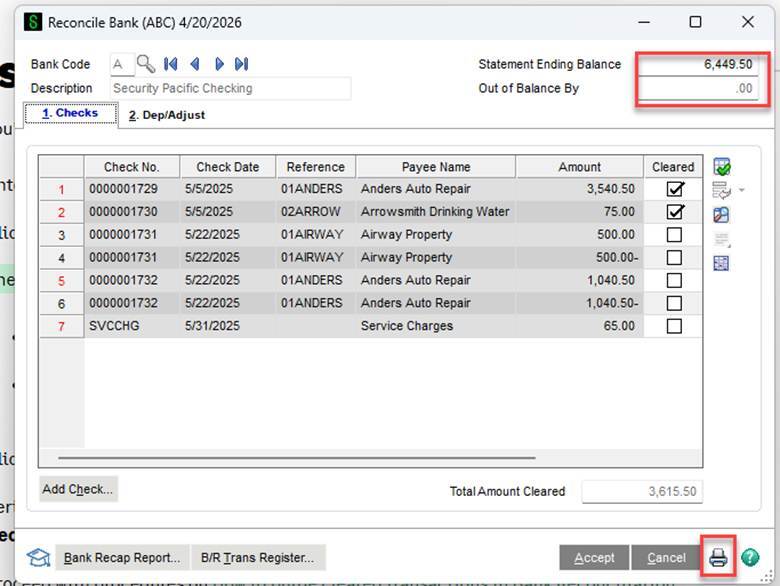
Click the Printer button in Reconcile Bank to print the Bank Reconciliation Register/Report.
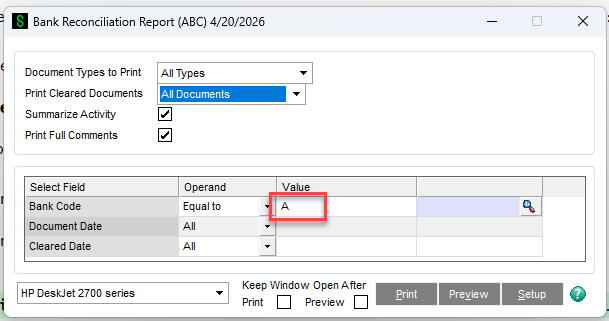
- Deselect the Summarize Activity checkbox and make the following selections.
- Document Types to Print = All Types
- Print Cleared Documents = All Documents
- Bank Code Operand = Equal to
- Bank Code Value = select the applicable bank code
- Document Date Operand = All, Less than, or Range
Make sure the report shows Out of Balance By = $0
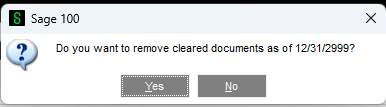
If Out of Balance by equals $0, you will receive this message to clear transactions marked off.
Looking for More on Sage 100?
For more helpful tips and tricks about Sage 100, subscribe to our blog and stay up-to-date with our latest tutorials. We're dedicated to providing valuable resources for businesses looking to optimize their financial management with Sage Intacct.
 Check out these blogs to help get you started!
What's New in Sage 100 Version 2026
Sage 100 Tips & Tricks: Troubleshooting Adobe Acrobat and Sage Paperless Office
How to Distribute Reports Using Sage Intelligence for Sage 100 Users