Sage Intacct’s new Work Order Management module provides comprehensive capabilities to manage service-related jobs and work orders for your business.
key features of work order management
- Work Order Management in included in the Construction module subscription
- Allows users to separate service jobs from more complex projects.
- Customize service-related attributes like work order types, problem codes, call types, and work order states.
- Synchronize work order information with integrated field operations solutions for streamlined work tracking and timely repairs.
- Generate reports using the work order dimension in Custom Report Writer.
Creating a Work Order
Users have a variety of fields to choose from including dimensions and several custom fields that can be tailored to your business.
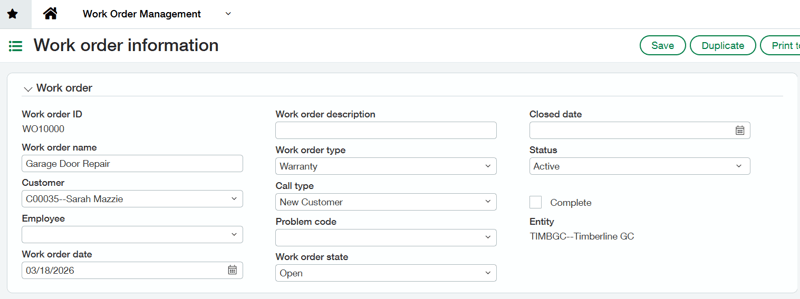
Custom field options:
- Work order types: This is typically used for categories like service call, inspections, or emergency repairs.
- Work order call types: This field allows users to track subcategories. For example, warranty, preventative maintenance, or after-hours call.
- Work order problem codes: This field adds an additional layer of granularity to work order tracking. Examples include parts, electrical, or plumbing.
- Work order states: This field allows users to track progress on the ticket. Examples include open, in progress, and closed.
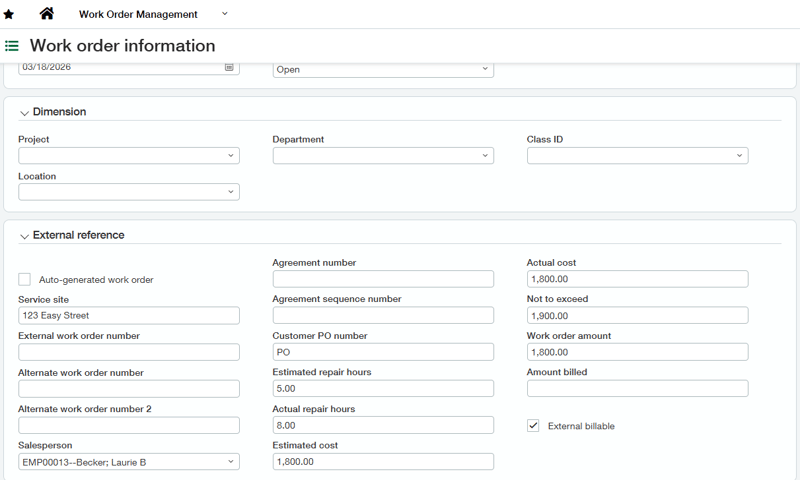
additional fields available
Users will have access to several other fields essential for managing work orders including PO numbers, repair hours, and estimated costs. If you don’t see the field you need, we can set up custom fields through Platform Services.
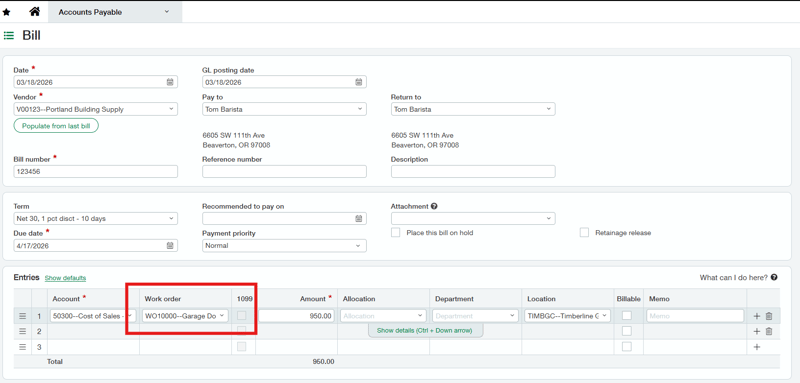
Tracking Work Orders in Transactions
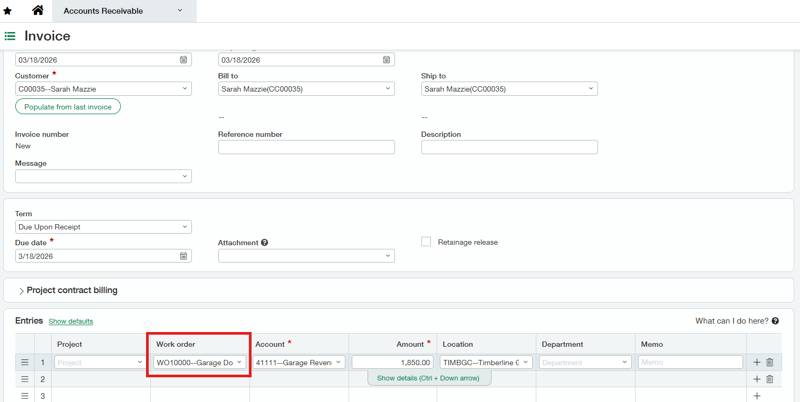
You can track them in Accounts Payable (also available in Purchasing).
You can also track in Accounts Receivable (also available in Order Entry).
Reporting on Work Orders
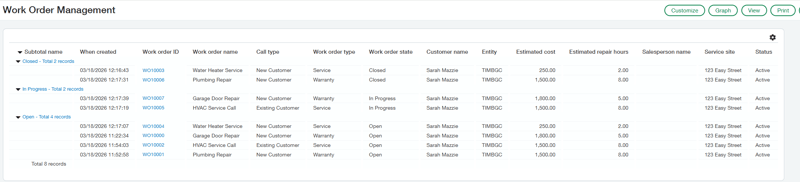
The work order dimension is available in Custom Report Writer. Each of the fields you track within the work order will be available to report on. Users can create a custom report to track only open or in progress work orders. You’re also able to use the work order dimensions and fields as a filter. For example, you could create a report showing all open or in progress work orders for your plumbing department.
If you’re interested in learning more about Work Order Management or reporting on work orders, please reach out to us at RKL eSolutions.
Looking for More on Sage Intacct?
For more helpful tips and tricks about Sage Intacct, subscribe to our blog and stay up-to-date with our latest tutorials. We're dedicated to providing valuable resources for businesses looking to optimize their financial management with Sage Intacct.
 Check out these blogs to help get you started!
How to Leverage Vendor Compliance
Inside Sage Intacct's Copilot: From Close to AP Automation
How to Manage Multiple Entities