Year-end can be a demanding time for finance teams. Between preparing audit-ready reports, 1099 processing, and reconciliations, teams often find themselves drowning in spreadsheets and manual processes. But it doesn’t have to be that way. Sage Intacct has automated some of the most common (and labor-intensive) tasks for year-end. This allows finance teams to close the year faster and reduce the number of manual processes.
Here are the most powerful year-end automation features and how they can help simplify your close process.
Copilot Close Assistant
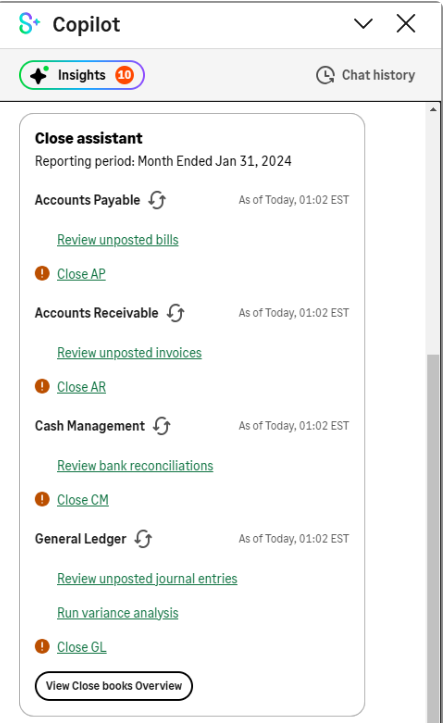
Close automation is a new Sage feature that offers a variety of tools to assist with a smoother close.
Close Assistant – helps in managing various standard period-end close tasks for core applications. The tool allows users to see all activity in one place.
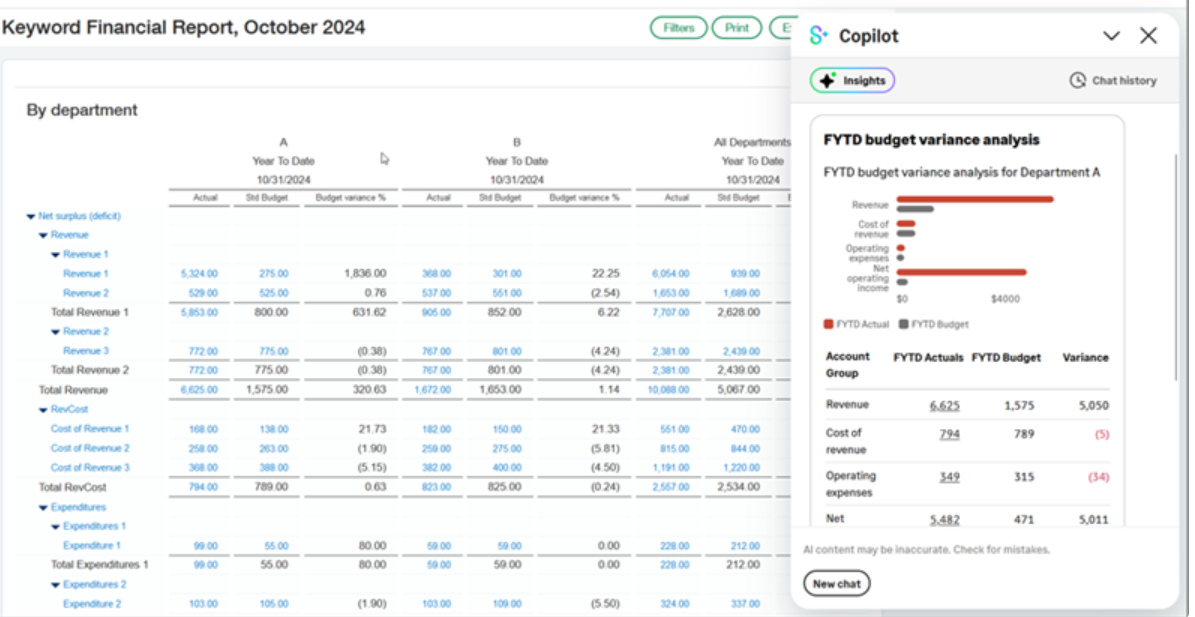
 Subledger Reconciliation Assistant – saves users from needing to manually compile a variety of reports to reconcile the subledger with the general ledger. Instead, the subledger reconciliation assistant provides users with instant access to this information on a single screen.
 Variance Analysis – notifies users when actual spending exceeds your budget. Users can drill into report insights to see detailed breakdowns.
Sage Intacct Checklists
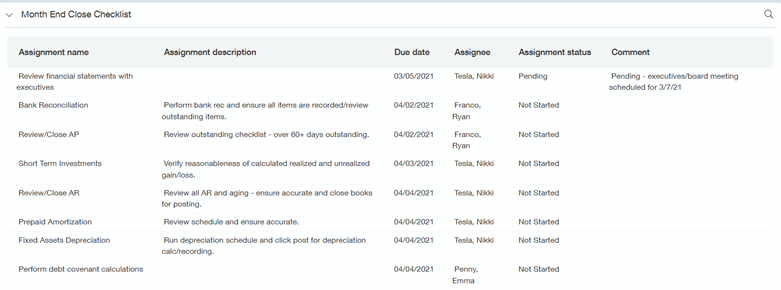
Sage Intacct checklists are a useful tool for both year-end and month-end tasks. Users can easily assign tasks and view progress on a dashboard. Checklists can be customized to accommodate task dependency, ensuring things are completed in the correct order across teams.
For more information on how to create a checklist and how to use them, visit our blog: How to Create a Checklist for Year-End Processes in Sage Intacct.
1099 Automation
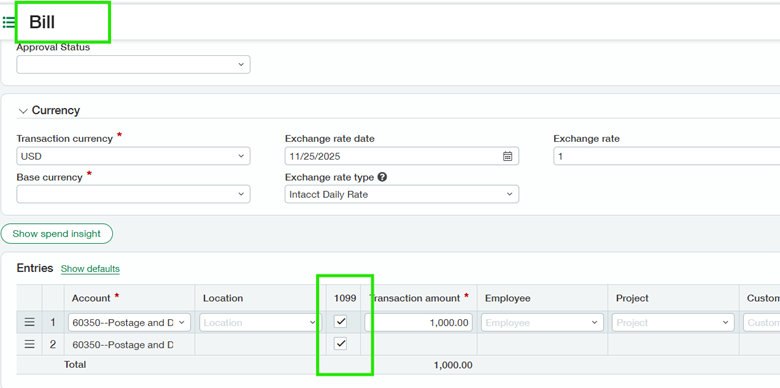
Sage Intacct’s 1099 automation feature allows users to tag vendors as 1099 eligible and automate data collection for AP bills, adjustments, and manual payments. This feature also allows for multi-entity tracking by vendor. When you’re ready to file, take advantage of Sage’s e-filing service with TaxBandits.
For more information on how to prepare 1099s, visit our blog: How to Prepare 1099 Forms and Vendors in Sage Intacct.
Automated Recurring Entries
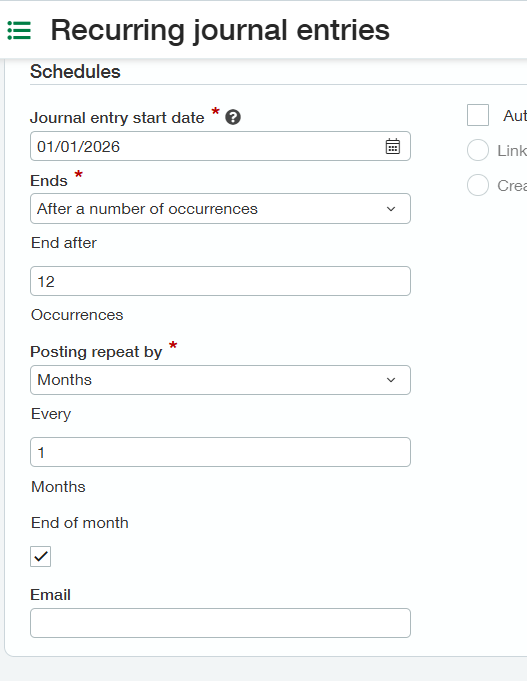
It can be difficult to track period-end closing entries. Sage Intacct’s recurring journal entry feature gets the process out of a spreadsheet and automates it in your accounting system. Postings can be repeated daily, weekly, monthly, or yearly.
Bank Feed Matching and Automated Reconciliation
Sage Intacct’s cash management module includes bank matching and creation rules. Once set up, Intacct will use the information from your bank feed, the Intacct transactions, and the matching or creation rules to help automate your bank reconciliation. In addition to matching rules, Intacct offers users the flexibility to set up creation rules to automate the posting of transactions like bank fees and interest income.

Fixed Assets & Prepaid Management
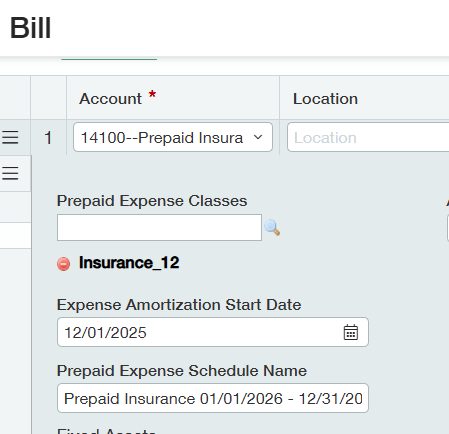
Sage Intacct helps automate monthly postings for fixed assets and prepaids. Prepaids and fixed asset information can be captured right at the AP bill level and automatically populated in the prepaid or fixed asset module.
Automated Reporting
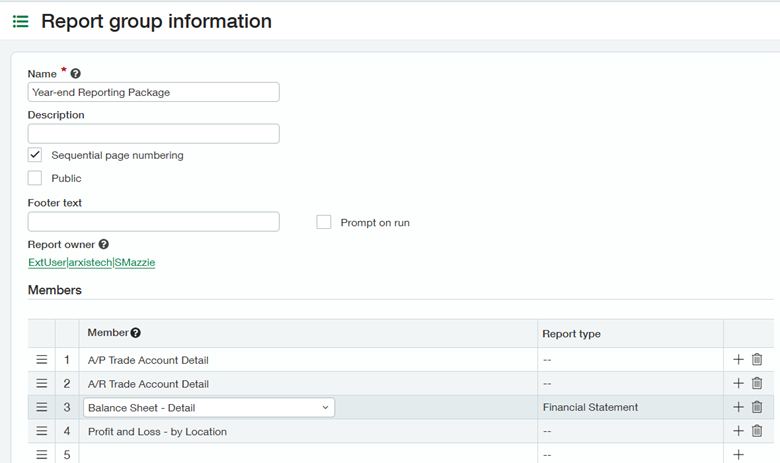
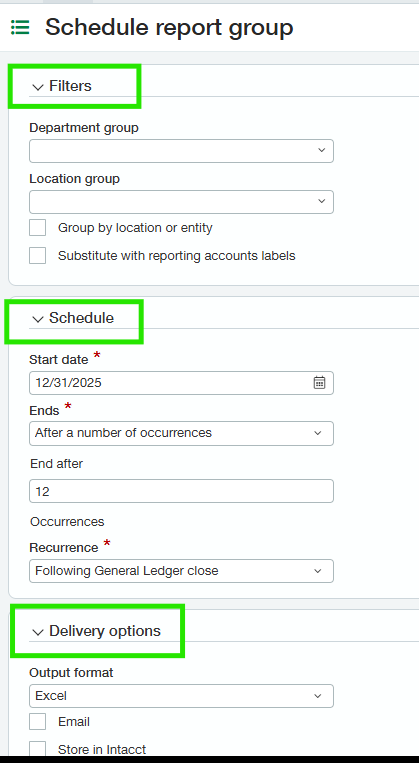
Sage Intacct has no shortage of reporting automation features. Intacct makes it easy to create customized year-end or audit report packages and deliver them by email. This eliminates the need for manual PDF creation and the exporting of Excel reports.
Looking for More on Sage Intacct?
For more helpful tips and tricks about Sage Intacct, subscribe to our blog and stay up-to-date with our latest tutorials. We're dedicated to providing valuable resources for businesses looking to optimize their financial management with Sage Intacct.
 Check out these blogs to help get you started!
How to Reconcile Bank Transactions Using Import Templates
Using the Vendor/Customer Reconciliation Feature
Creating Expanded Columns and a Summary for Reports